









How AI Helps You Save Time at Work
AI can help you save time at work without making things complicated. Practical examples for normal people, explained simply.
Introduction
Many people hope AI will dramatically change how they work. Others worry it will make work more complicated. In reality, AI is most useful when it does small, practical things that save time.
AI does not need to automate your entire job to be helpful. In many cases, it simply reduces repetitive tasks, helps you start faster, or makes information easier to process.
This article shows how AI helps you save time at work without overcomplicating things, using realistic examples that normal people actually use.
Saving Time Starts with Small Tasks
One of the biggest mistakes beginners make is trying to use AI for everything at once. This often leads to frustration.
AI works best when it helps with:
-
repetitive writing
-
organizing information
-
summarizing content
-
preparing drafts
These small time savings add up over a workday.
Writing and Rewriting Faster
Writing emails, messages, and short documents takes more time than people realize. AI helps by providing a starting point.
Common examples:
-
drafting a first version of an email
-
rewriting text to sound clearer or more professional
-
shortening long messages
Instead of starting from scratch, you edit what AI provides. This often saves several minutes per task.
Summarizing Information Quickly
Many jobs involve reading long documents, notes, or messages. AI is often used to summarize information before you dive into details.
People use AI to:
-
summarize meeting notes
-
extract key points from documents
-
turn long explanations into short overviews
This makes it easier to decide what deserves your full attention.
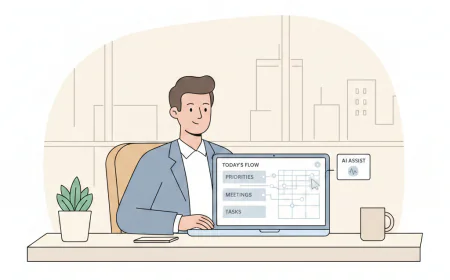
Organizing Thoughts and Plans
AI is also useful when your thoughts feel scattered. Before work can begin, ideas often need structure.
Examples include:
-
outlining tasks for the day
-
organizing project ideas
-
structuring notes after a meeting
AI helps turn loose thoughts into a clear starting structure.
Reducing Decision Fatigue
Making small decisions all day can be exhausting. AI helps reduce this mental load by offering suggestions.
For example:
-
suggesting wording options
-
proposing task orders
-
offering alternative approaches
You still decide, but you spend less energy getting there.
What AI Does Not Need to Do
AI does not need to:
-
replace your expertise
-
automate complex workflows
-
make decisions for you
Trying to push AI too far often creates more work instead of saving time.
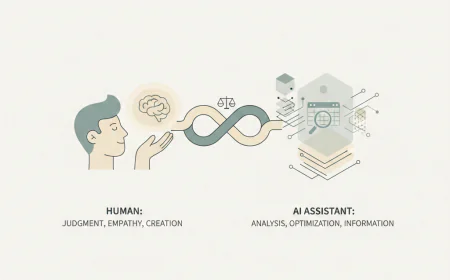
A Simple Rule for Using AI at Work
A good rule of thumb is this:
If a task feels repetitive or mentally draining, AI might help.
If it requires judgment or responsibility, keep it human.
This balance keeps AI useful without making work more complex.
Final Thoughts
AI saves time at work not by doing everything for you, but by reducing friction. It helps you start faster, think more clearly, and avoid repetitive effort.
When used calmly and realistically, AI becomes a quiet support tool rather than a distraction.
On Sane AI, we focus on these simple, practical uses without hype, pressure, or unnecessary complexity.